
Download ShareTool – Remote Access, Network Sync & File Sharing
Overview
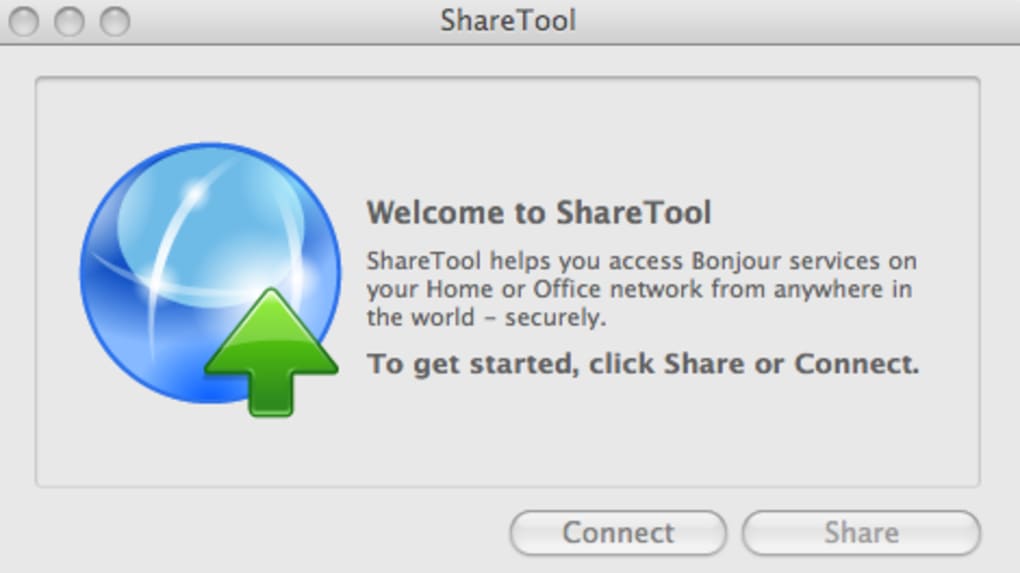
ShareTool is a lightweight yet powerful utility that lets you reach every Bonjour‑enabled service on your home or office network from anywhere on the planet. Whether you want to stream music, view photo libraries, pull down documents, or watch movies stored on a remote Mac, ShareTool restores your entire network configuration with just a few clicks. The application is built for users who value convenience over the traditional hassle of re‑creating VPN tunnels or fiddling with SSH tunnels each time they change locations.
By automatically detecting and replicating your existing network services, ShareTool eliminates the need for deep networking knowledge while still offering a secure, encrypted connection. Its recent updates include automatic router port matching, HTTPS mapping by default, and optional VPN mode when you connect to a public IP, which collectively boost reliability and performance. Though it cannot revive a powered‑off server, ShareTool’s speed, ease of use, and labor‑saving benefits have earned it high praise among remote workers, travelers, and small‑office teams.
Security‑conscious users will appreciate the automatic email notification each time a remote session is opened, even if the notification only shows the internal IP address. Overall, ShareTool positions itself as the go‑to “network in your pocket” solution for Mac, Windows, and mobile platforms, delivering a seamless bridge between your devices and the data you need, wherever you are.
Key Features
- One‑Click Network Restoration: Re‑create your entire Bonjour service landscape with a single action.
- Cross‑Platform Compatibility: Works on macOS, Windows, Android, and iOS, letting you stay connected from any device.
- Automatic Router Port Matching: No manual port forwarding – ShareTool detects and configures required ports.
- HTTPS Port Mapping by Default: Improves reliability and encryption without extra configuration.
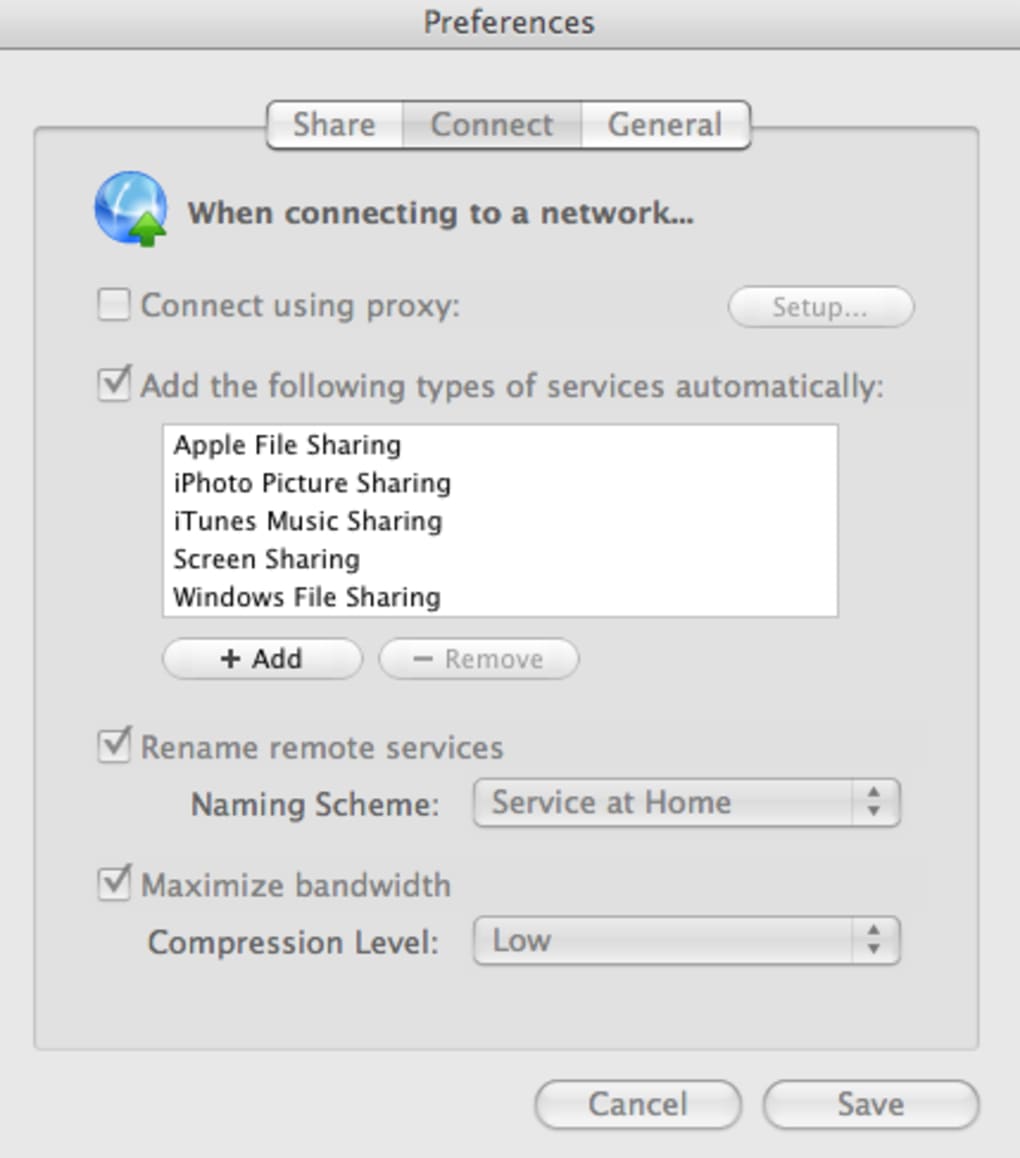
- Proxy‑Ignorance Option: Bypass system proxy settings for cleaner, faster connections.
- Improved Windows File Sharing Support: Full SMB/CIFS compatibility for Windows environments.
- Active Connection Management: Aggressive keep‑alive mechanisms prevent idle disconnections.
- Optional VPN Mode: Secure tunnel for public‑IP connections, toggled per session.
- Email Connection Alerts: Real‑time notifications whenever a remote session starts.
- Demo Period Reset: Fresh trial window for new users, ensuring everyone can test before buying.
Installation & Usage Instructions
Step‑by‑Step Setup
Getting ShareTool up and running is designed to be as straightforward as possible, even for users with no networking background. First, download the installer from the official website. The Windows version comes as a .exe, macOS as a .dmg, and mobile platforms as standard app packages from their respective stores.
Run the installer and follow the on‑screen wizard: accept the license agreement, choose the installation folder (or default location), and click “Install”. After installation, launch ShareTool; the initial launch triggers a brief diagnostic scan that identifies all Bonjour services on your local network. You’ll be guided through a simple wizard that asks whether you want to sync all services or select specific ones (e.g., iTunes sharing, AirPrint, file shares).
Once you confirm, ShareTool generates a secure profile file that contains encrypted connection details and uploads it to a cloud‑based relay server.
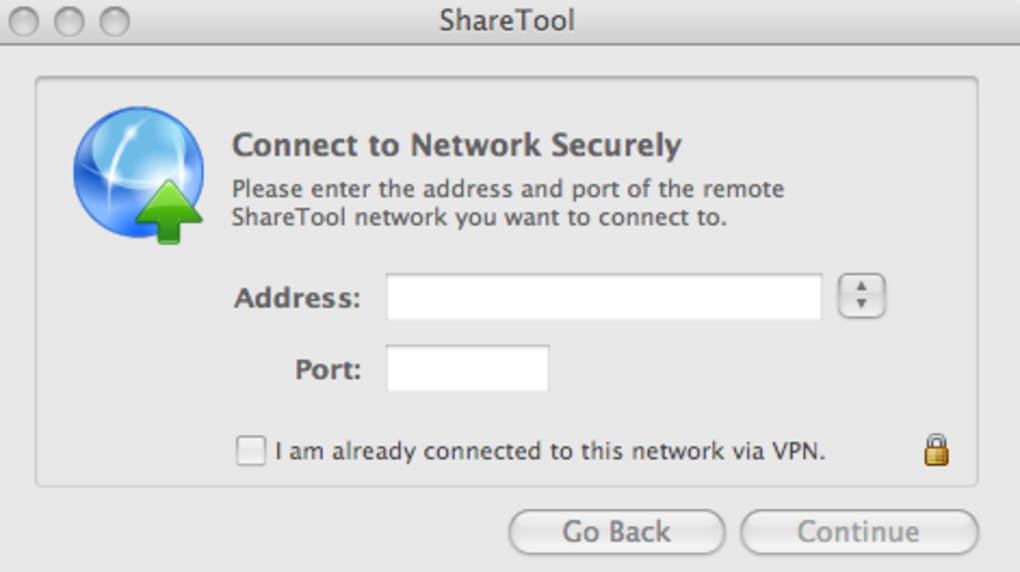
When you’re away from home, simply open ShareTool on the remote device, sign in with your account credentials, and select the previously saved profile. The application automatically establishes an encrypted tunnel, maps the necessary ports, and re‑creates the Bonjour advertisements locally. You’ll see your home network’s shared folders, media libraries, and printers appear as if they were physically attached to the remote machine. For added security, enable the optional VPN mode under “Advanced Settings” – this forces all traffic through an IPSec tunnel, shielding it from hostile Wi‑Fi networks. If you ever need to stop sharing, click the “Disconnect” button; ShareTool will cleanly close the tunnel and remove all temporary network entries.
The interface also includes a “Connection Log” where you can review timestamps, source IP addresses, and the services accessed during each session. Should you encounter any issues, the built‑in “Troubleshoot” wizard offers step‑by‑step diagnostics, checking firewall rules, router compatibility, and DNS resolution. All of these features combine to make ShareTool a truly user‑friendly solution for anyone who needs reliable remote access without diving into complex networking commands.
Compatibility and System Requirements
ShareTool is engineered to operate on a wide range of operating systems, ensuring that you can stay connected regardless of your preferred device ecosystem. The current stable releases support:
- macOS 10.14 (Mojave) and later – fully integrated with the native Bonjour stack.
- Windows 10 (64‑bit) and Windows 11 – includes enhanced SMB/CIFS handling for file sharing.
- Android 8.0 (Oreo) and later – offers a lightweight client with background sync capabilities.
- iOS 13 and later – optimized for iPhone and iPad, with push notifications for connection alerts.
Minimum hardware specifications are modest: a dual‑core processor, 2 GB RAM, and 200 MB of free disk space for the core application and logs. For optimal performance, especially when streaming high‑definition media, a broadband connection of at least 10 Mbps upstream is recommended. ShareTool also respects corporate firewall policies; it can be configured to work behind strict outbound filters by disabling the optional VPN mode and using the built‑in HTTPS tunnel. The software is signed with a valid code‑signing certificate, guaranteeing a secure, tamper‑free installation on all supported platforms. Regular automatic updates keep the application patched against emerging security threats and add compatibility fixes for new OS releases.
Pros & Cons
What Users Love About ShareTool
- Fast, one‑click restoration of entire network environments.
- Cross‑platform support eliminates the need for multiple tools.
- Automatic router detection saves time and reduces errors.
- Secure HTTPS and optional VPN mode protect data on public networks.
- Real‑time email alerts keep users informed of remote connections.
- Intuitive wizard‑driven setup suitable for non‑technical users.
Areas for Improvement
- Cannot power‑on a shut‑down host; the remote machine must remain online.
- Email alerts only show internal IP addresses, which may be confusing for dynamic networks.
- Advanced network configurations (multiple subnets) may require manual tweaks.
- Free demo is limited to a short period; full features require a paid license.
Frequently Asked Questions
Can ShareTool replace a traditional VPN?
ShareTool offers an optional VPN mode for public‑IP connections, but it is primarily designed to replicate Bonjour services rather than act as a full‑mesh VPN. For organizations that need site‑to‑site VPNs, a dedicated solution may still be required.
Is my data encrypted during remote sessions?
Yes. All traffic is tunneled through HTTPS by default, and you can enable the additional IPSec‑based VPN layer for extra encryption.
What happens if my home computer crashes while I’m connected?
ShareTool cannot restart a powered‑off or crashed host. The connection will drop, and you’ll need to power the device back on manually before reconnecting.
Do I need to open ports manually on my router?
No. The latest version automatically detects routers that require matching port numbers and configures them through UPnP or NAT‑PMP where supported.
Can I use ShareTool on a corporate network with strict outbound policies?
Yes. By disabling the VPN mode and enabling the “Ignore system proxy” option, ShareTool can route traffic through standard HTTPS ports, which are typically allowed by corporate firewalls.
Expert Review
ShareTool fills a niche that many remote‑work tools overlook: the seamless recreation of a home Bonjour ecosystem on the go. Its strength lies in the blend of simplicity and robust network handling. The auto‑port‑matching and HTTPS‑first approach mean that most users will never have to touch their router settings, while power users still retain the ability to fine‑tune proxy behavior. The only real drawback is its reliance on the host machine staying online; a sudden power loss will interrupt access until the machine is manually rebooted. Nevertheless, for freelancers, traveling professionals, and small offices that need instant media and file access, ShareTool delivers a compelling, cost‑effective solution that rivals more heavyweight VPN products in speed and ease of use.
Conclusion & Call to Action
If you’re tired of re‑configuring network shares every time you leave the office or travel, ShareTool offers a fast, secure, and user‑friendly way to bring your entire home network with you. Its cross‑platform reach, automatic router handling, and built‑in security notifications make it an attractive alternative to traditional VPNs for everyday file sharing and media streaming. While it can’t revive a powered‑off server, the benefits of instant access, minimal setup, and reliable HTTPS connections outweigh this limitation for most users. Ready to experience a truly portable network? Download ShareTool today, start the free trial, and enjoy uninterrupted access to your files, music, and printers from anywhere in the world.







